.png)
Zendesk Integration
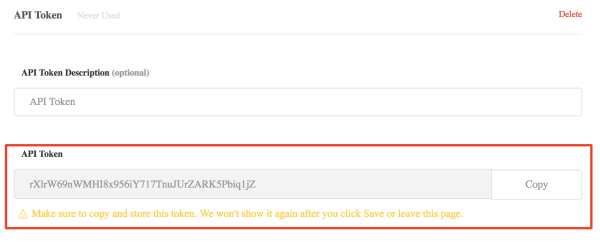
please generate an API key in Zendesk (using an Admin or Owner account) and share the API Token description and API Token with HelpFlow.
- Generating a new API token - Full guide on support.zendesk.com
- How to Find Your Zendesk API Key - Full guide on Zapier's help pages.
How to Find Your Zendesk API Key
To locate your API Token in your Zendesk account, please follow these steps:
- Click the Admin icon in the sidebar, followed by select Channels > API.
- Click the Settings tab and make sure Token Access is enabled.
- Click the + button to the right of Active API Tokens.
- Copy the token. Note, once you close this window, the full token will never be displayed again.
After this, just share a basic Zendesk user account with us for testing purposes.