.png)
Request to add websites to Google Analytics Referral Exclusion list
Please share the below instructions with your web/dev team to apply the changes needed to exclude PayPal and LiveChat from your referral sources. Alternatively, you can give us the email address of the person who we can work with and we'll communicate with them directly (we'll cc you).
We're not able to make changes on our end as we do not have the required Admin access to your Google Analytics account and its Property settings.
Here's the instruction on how to add a domain to the Referral Exclusion list.
- Google Analytics Tracking ID: *UA-XXXXXXXX
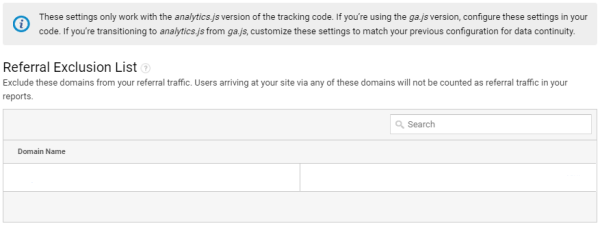
Adding referral traffic sources
- Sign in to your Analytics account.
- Click Admin.
- In the ACCOUNT column, use the dropdown to select the Analytics account that contains the property you want to work with.
- In the PROPERTY column, use the dropdown to select a property.
- Click Tracking Info.
- Click the Referral Exclusion List.
- To add a domain, click +ADD REFERRAL EXCLUSION.
- Enter the Domain names:
paypal.com
livechatinc.com
www.livechatinc.com
secure.livechatinc.com
my.livechatinc.com - Click Create to save.
Please visit Google's full Referral exclusions guidance to learn more. If you have any questions or clarification, just let us know.
Thanks!